
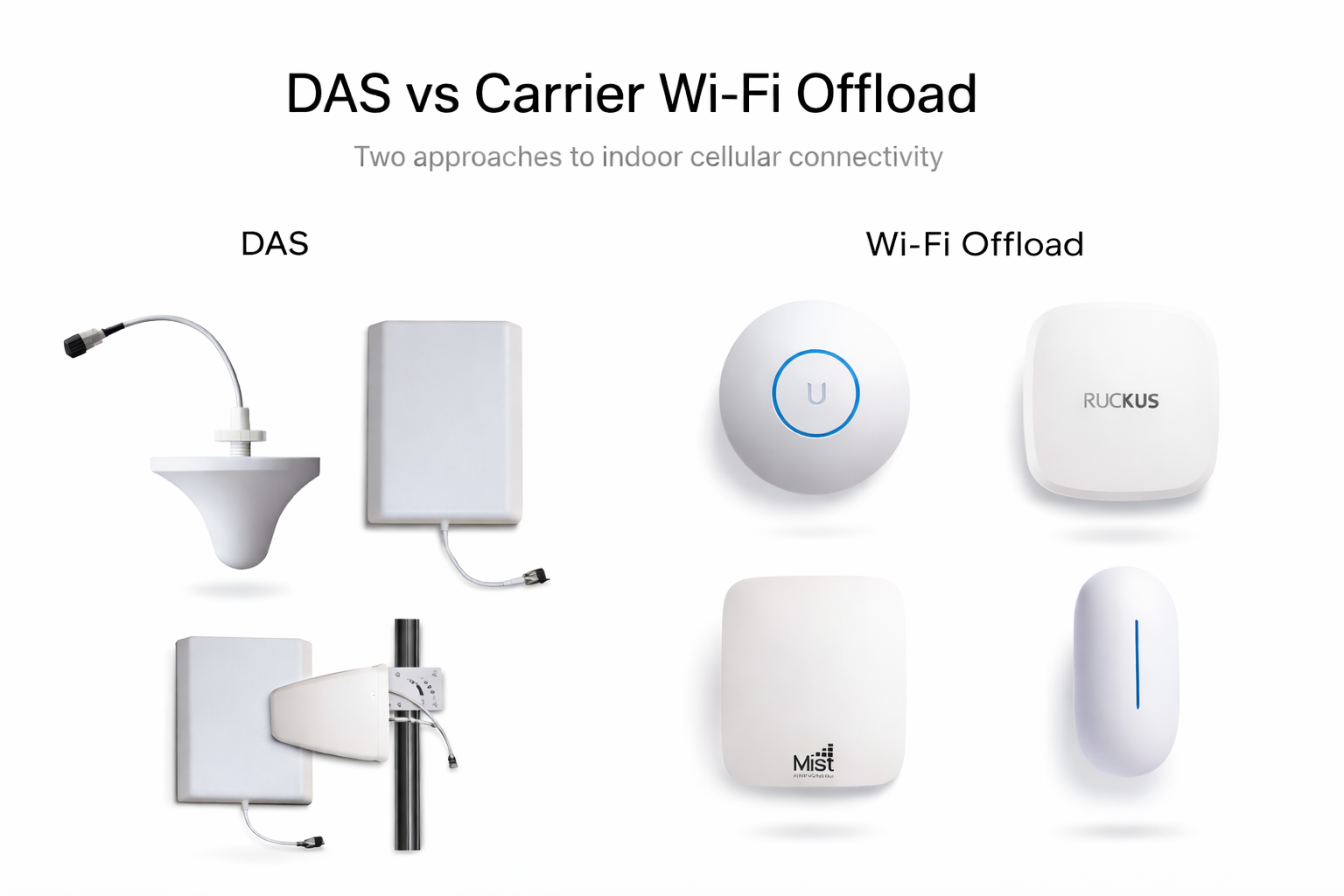

This guide compares Carrier Wi-Fi Offload vs DAS, two of the most common approaches used to improve indoor cellular coverage in commercial buildings.
Most mobile use happens indoors, yet 5G often struggles to penetrate modern building materials. That gap shows up as dropped calls, failed OTP codes, and slow data at the worst times. DAS solves this with dedicated cellular infrastructure, but it is capital intensive and slow to build. Carrier Wi‑Fi offload uses Passpoint to authenticate devices with the carrier and route traffic over qualified Wi‑Fi, cutting cost and timelines while preserving security. This guide explains both models, where each wins, and how to decide with confidence.
Executive Summary
Bottom line up front: choose DAS when you need carrier-grade redundancy across large, mission-critical venues. Choose carrier Wi‑Fi offload when you need fast, secure, and scalable indoor improvement across commercial properties with existing enterprise Wi‑Fi. The right fit comes down to density, regulatory needs, budgets, and how quickly you must deliver results.
Understanding the differences between Carrier Wi-Fi Offload vs DAS helps building owners and IT teams choose the right architecture for their connectivity needs.
Key Takeaways
- Indoor demand is dominant. People spend about 90 percent of their time indoors, and up to 80 percent of mobile data is consumed indoors, where 5G penetration through buildings is challenging (1).
- Economics differ sharply. DAS often costs $250k to $2M+ and takes 6 to 24 months, while carrier Wi‑Fi offload can leverage existing enterprise Wi‑Fi and deploy much faster, often with configuration rather than construction (2, 3, 4).
- Offload is scaling quickly. OpenRoaming spans 3M+ access points and can increase connected devices by 10x to 30x versus manual login (5).
Why is indoor cellular connectivity still a challenge?
Modern buildings are built to save energy and enhance security, not to pass radio signals. Low‑E glass, concrete, and steel attenuate 5G more severely than prior generations. For most 5G frequency bands, building penetration is significantly worse than for 4G, which makes indoor coverage a persistent issue (6).
The usage pattern compounds the problem. People spend about 90 percent of their time indoors, and up to 80 percent of mobile data is consumed indoors (1). Congestion at peak times, dense user clusters, and complex RF reflections add load even where signal appears adequate.
What is a Distributed Antenna System (DAS)?
A DAS extends licensed cellular signals throughout a building using a network of antennas connected to a centralized headend and carrier signal sources. Core components typically include:
Signal source
Headend equipment
Fiber distribution
Remote radio units
Indoor antennas
Carriers integrate their spectrum and services at the headend so subscribers experience native cellular connectivity throughout the venue (2).
DAS is most common in large, mission-critical environments such as stadiums, hospitals, airports, and convention centers. It delivers strong performance but requires significant investment and coordination. Typical deployments range from $250,000 to more than $2 million, with timelines often spanning 6 to 24 months due to RF engineering, permitting, construction, and multi-carrier integration (3, 4).
Beyond the initial capital investment, DAS deployments also involve ongoing operational costs. Venues typically maintain service agreements with the system integrator or neutral host operator for monitoring, RF optimization, and maintenance. These contracts can include system management, backhaul connectivity, and hardware support. In neutral host deployments, carriers may pay the operator for access to the infrastructure, while the venue may still incur hosting or service fees depending on the arrangement. These operating costs typically range from $20,000 to $150,000+ per year depending on size and complexity.
Another important consideration is technology upgrades. As carriers introduce new frequency bands or transition to newer standards such as 5G, DAS systems may require headend upgrades, new radios, or additional antennas. These upgrades can introduce additional costs over time, making lifecycle planning an important part of large DAS deployments.
Even with these capital and operational requirements, demand remains strong. DAS continues to account for a significant share of indoor wireless infrastructure in large U.S. venues where licensed cellular coverage and reliability are critical (4).
What is Carrier Wi‑Fi Offload?
Carrier Wi-Fi offload allows mobile operators to authenticate devices and route subscriber traffic over trusted enterprise Wi-Fi while maintaining carrier control of security and policy. It relies on Passpoint (Hotspot 2.0), which enables automatic authentication using SIM credentials and enterprise standards (7). Operators use this approach to increase indoor capacity and reduce congestion on macro cellular networks without deploying new cellular infrastructure in every building (8).
A major advantage of carrier offload is that it leverages the enterprise Wi-Fi networks many venues already operate. Instead of installing antennas, radios, and fiber throughout a building, carrier traffic can be delivered through existing access points that meet enterprise security and performance requirements.
Many enterprise Wi-Fi platforms support Passpoint or similar roaming frameworks, including systems from vendors such as Ubiquiti UniFi, Cisco Meraki, Aruba, Fortinet, Juniper Mist, Cambium Networks, and Ruckus.
Because carriers benefit from the additional indoor capacity, they compensate the offload platform operator based on subscriber data usage, often measured in gigabytes. In some implementations, venues share in that revenue.
With up to 80 percent of mobile data generated indoors, carrier Wi-Fi offload has become an important complement to cellular infrastructure (1). Global roaming frameworks such as OpenRoaming now span more than 3 million access points worldwide (5).
How does Carrier Wi‑Fi Offload work in practice?
Carrier Wi-Fi offload builds on enterprise Wi-Fi networks many venues already operate. When networks support Passpoint, compatible devices automatically authenticate using SIM credentials with WPA2 or WPA3-Enterprise encryption and mutual authentication (7).
Carrier traffic is separated from venue systems using dedicated VLANs and secure tunnels to the carrier network, keeping POS systems, IoT devices, and internal networks isolated.
For users, the experience is seamless: devices connect automatically without captive portals, and calls or data sessions continue as they move through the venue. Because the infrastructure already exists, deployment is typically far faster and less disruptive than installing cellular systems like DAS.
Carriers compensate the offload platform based on subscriber data usage, and some programs share revenue with venues. When frameworks like OpenRoaming are enabled, many more devices authenticate automatically compared with traditional guest Wi-Fi access, improving indoor connectivity at scale (5).
Carrier Wi-Fi Offload vs DAS: Side-by-Side Comparison
The debate around Carrier Wi-Fi Offload vs DAS often comes down to cost, deployment speed, and operational complexity.
Attribute | DAS | Carrier Wi-Fi Offload |
|---|---|---|
Capital investment | Significant upfront capital required for RF design, antennas, fiber distribution, headend equipment, and installation | Typically leverages existing enterprise-grade Wi-Fi infrastructure with little to no additional capital investment |
Deployment cost | $250k–$2M+ depending on building size, carriers, and RF complexity (3,4) | Low incremental cost when compatible enterprise Wi-Fi is already deployed |
Deployment speed | 6–24 months due to engineering, permitting, construction, and carrier coordination (3,4) | Often deployable in days to weeks through network configuration rather than construction (7,8) |
Carrier coordination | High. Requires RF design and approval from each participating carrier | Participation typically occurs through roaming frameworks or carrier integrations |
Operating costs | Ongoing maintenance, monitoring, RF optimization, and service contracts with system integrators or neutral hosts | Minimal additional operating costs beyond standard enterprise Wi-Fi management |
Revenue model | Typically a cost center for the venue; carriers generally do not pay venues for DAS usage | In many implementations carriers compensate the offload platform based on data usage, and some programs share that revenue with participating venues |
Scalability | Each location typically requires custom RF engineering and installation | Can often be deployed across multiple locations using standardized configurations |
Coverage footprint | Building-wide licensed cellular RF coverage | Coverage aligned with enterprise Wi-Fi footprint |
Operational complexity | Construction projects, RF tuning, and on-site service requirements | Primarily configuration, policy management, and remote monitoring |
Upgrade lifecycle | Hardware upgrades may be required when carriers introduce new spectrum bands or cellular technologies | Often supported through software and configuration updates to existing Wi-Fi infrastructure |
Best-fit environments | Large venues with mission-critical connectivity needs such as stadiums, airports, hospitals, and convention centers | Commercial venues such as retail, hospitality, restaurants, offices, clinics, and multi-location businesses |
911 / emergency calling | Native cellular 911 support with carrier-level priority handling | Wi-Fi calling can support emergency calls but may not provide the same priority handling as licensed cellular |
Power resilience / failover | Often designed with backup power systems and cellular network redundancy | Dependent on venue power systems, Wi-Fi infrastructure, and internet connectivity |
Security and traffic isolation | Licensed cellular traffic isolated within carrier infrastructure | Enterprise-grade security with traffic segmentation using VLANs and secure tunnels |
Use DAS when licensed cellular coverage, redundancy, and guaranteed performance are required for large or mission-critical venues.
Carrier Wi-Fi offload is often the better option when organizations want to improve indoor connectivity quickly, leverage existing enterprise Wi-Fi infrastructure, and scale across multiple properties without major construction. In many environments, offload can also complement DAS by providing additional indoor capacity without requiring a full rebuild of cellular infrastructure.
Cost and deployment considerations
Budget and time often decide the path. DAS typically ranges from $250,000 to more than $2 million per site, with 6 to 24 months for engineering, permitting, and carrier integration (3, 4). That level of investment fits arenas, large hospitals, or regulated facilities where licensed cellular reliability is mandatory.
Carrier Wi‑Fi offload can ride on enterprise Wi‑Fi that many venues already maintain. When that infrastructure is compatible, setup can be completed quickly with configuration work rather than construction, which reduces capital outlay and accelerates impact (7, 8). Roaming frameworks like OpenRoaming simplify user onboarding at scale, increasing connected devices by 10x to 30x compared to manual authentication (5).
For macro networks, offload can also defer expensive capacity expansions. While some older studies suggested Wi‑Fi offload could reduce macro LTE site requirements by up to 77 percent, this figure should be considered historical rather than a current benchmark.
When does each approach make sense?
Choose DAS when your venue demands licensed cellular service with carrier‑grade redundancy and high capacity across very large or complex footprints. Examples include stadiums, airports, large hospitals, and convention centers. These environments depend on guaranteed connectivity for clinical workflows, safety communications, and public events where failure is unacceptable.
Choose carrier Wi‑Fi offload when your goal is to improve the real user experience quickly across commercial venues with solid enterprise Wi‑Fi. This includes restaurants, hotels, retail, clinics, fitness, offices, and multi‑location portfolios. Offload adds capacity indoors, reduces logins, and scales across many sites with limited operational lift. It can also complement existing DAS by handling overflow in specific zones.
Other indoor connectivity technologies
Beyond DAS and carrier Wi‑Fi offload, other indoor connectivity solutions are available, including small cells, neutral host networks, and CBRS deployments. Each approach offers unique advantages depending on regulatory, technical, and business requirements. This article focuses specifically on DAS vs Carrier Wi‑Fi Offload, as these are the most common architectural decisions for commercial buildings seeking to improve indoor mobile coverage.
How LongFi Connect fits into the carrier Wi‑Fi offload ecosystem
LongFi Connect enables venues to participate in carrier Wi-Fi offload programs using the enterprise Wi-Fi infrastructure they already operate. The platform is built on industry standards such as Passpoint and secure roaming frameworks supported by organizations like the Wireless Broadband Alliance.
Instead of installing new cellular hardware throughout the building, LongFi Connect integrates with compatible enterprise Wi-Fi networks and allows mobile subscribers to authenticate automatically using their SIM credentials. Carrier traffic is placed on a dedicated VLAN and securely routed into the carrier domain, keeping POS systems, staff networks, and IoT devices fully isolated.
Because the system leverages existing infrastructure, implementation is typically configuration-based rather than construction-based. In compatible environments, deployment can often be completed quickly with coordination between the venue’s IT team and LongFi’s network engineers.
LongFi Connect works with many enterprise Wi-Fi platforms commonly deployed in commercial environments, including Ubiquiti UniFi, Cisco Meraki, Aruba, Fortinet, Juniper Mist, Cambium Networks, and Ruckus.
Carriers compensate the platform based on subscriber data usage, and a portion of that revenue is shared with participating venues. This means the same infrastructure used for connectivity can also generate a recurring monthly revenue stream.
Today, LongFi Connect operates across more than 100 locations in the United States, including dense urban environments such as New Orleans’ French Quarter, where adjacent venues can collectively improve indoor connectivity across busy corridors. LongFi Connect is tranfering over 4 Terabytes of data every day through their active networks.
If you operate a venue or manage multiple locations and want to evaluate whether carrier Wi-Fi offload is the right fit, you can schedule a short discovery call with our team.
Schedule a discovery call: https://calendly.com/joselongfi/discovery-call-jose
FAQ
Can Wi‑Fi replace DAS?
Not entirely. Wi‑Fi offload is a cost‑effective way to add indoor capacity and improve experience, but large, mission‑critical venues still rely on DAS for licensed cellular reliability and emergency service needs.
How long does a DAS deployment typically take?
DAS deployments often take between 6 and 24 months due to RF engineering, permits, and carrier coordination (3, 4).
Does Wi‑Fi offload support all carriers?
It supports carriers that participate in roaming federations like OpenRoaming or have direct agreements. Ecosystem support is growing as operators and device platforms expand roaming profiles (5, 8).
Is Wi‑Fi offload secure?
Yes. Passpoint uses WPA2 or WPA3‑Enterprise and mutual authentication, comparable to cellular roaming security. Devices authenticate with the carrier, and traffic can be segmented and tunneled to protect business systems (7).
Can Wi‑Fi offload support emergency services?
Wi‑Fi calling can support emergency calls, but it does not provide the same priority handling and guaranteed reliability as a cellular DAS. It also depends on internet connectivity and power resilience.
Conclusion
Indoor connectivity choices are clearer when you separate needs. DAS delivers licensed cellular coverage and redundancy for very large or regulated venues where failure is not an option. Carrier Wi‑Fi offload uses Passpoint to authenticate devices with the carrier and route traffic securely over enterprise Wi‑Fi, improving the user experience quickly and at far lower cost. With most mobile use happening indoors and 5G struggling to penetrate modern buildings, many properties benefit from offload first, then add DAS where mission‑critical requirements demand it (1, 6).
When evaluating Carrier Wi-Fi Offload vs DAS, the right choice depends on venue size, regulatory requirements, and how quickly indoor connectivity needs to improve. If you manage venues that need better indoor experience without construction, we can help you evaluate fit in a short working session.
References
- Ericsson.com | Mobile broadband indoor deployment
- 5gtechnologyworld.com | What is a Distributed Antenna System?
- waveform.com | How much does a distributed antenna system cost?
- www.futuremarketinsights.com| United States DAS market analysis
- WiFiNowglobal.com | OpenRoaming rolls out to 3 million access points
- enea.com | The drivers for Wi-Fi offloading
- WiFi Alliance | Passpoint technology overview
- gsma.com | Wi-Fi offload overview